All traffic or selected apps
Route all of the device's internet traffic through the proxy or only the apps you choose.

An easy way to connect to proxy servers and route all device traffic or only selected apps through the proxy.
Quick server switching, routing mode selection and app management — all through a clear, simple interface.
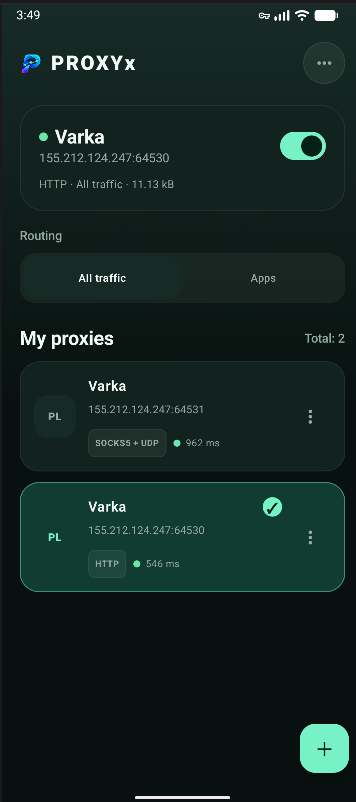
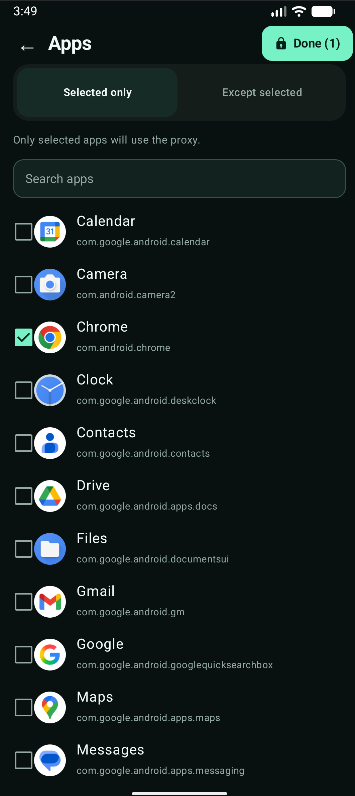
PROXYx lets you quickly enable the proxy you need, choose a routing mode and manage your server list through a clear interface.
Route all of the device's internet traffic through the proxy or only the apps you choose.
Switch between saved proxy servers in just a few taps without extra configuration.
See approximate ping and connection status so you can quickly choose a suitable server.
Keep your proxy list in one place and manage it from a single convenient screen.
A clean dark UI without unnecessary clutter, designed for comfortable everyday use.
Add a proxy, choose a routing mode and start the connection in just a few steps.
PROXYx gives you flexible routing controls: use the proxy for all device connections or only for selected apps. This is useful when you need the proxy only for a browser, messenger or other specific apps.
The app is designed for convenient everyday use with common proxy connection types.
Suitable for straightforward traffic proxying and basic use cases in apps and browsers.
A versatile proxy type with broad compatibility, suitable for a wide range of networking tasks.
Suitable for scenarios where, in addition to regular traffic, proper UDP packet handling is required.
The Privacy Policy explains what data the app uses.